
Admin panel
How to get to the admin panel page?
Go to https://data.supportdatabases.com/dashboard and log in.
Admin user
Login: masterbase@local.loc
Password: hy6$@&drahe^&$38ad
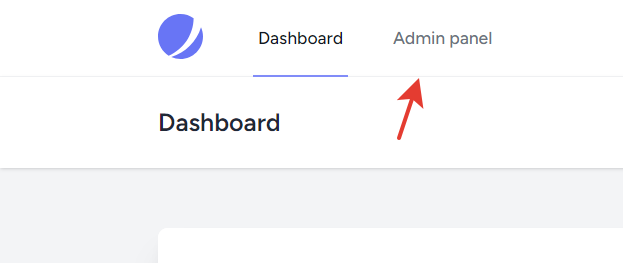
After you have logged in, click on the link. If you don't see the link, you need to add permissions to visit the admin page.
How to upload a new file?
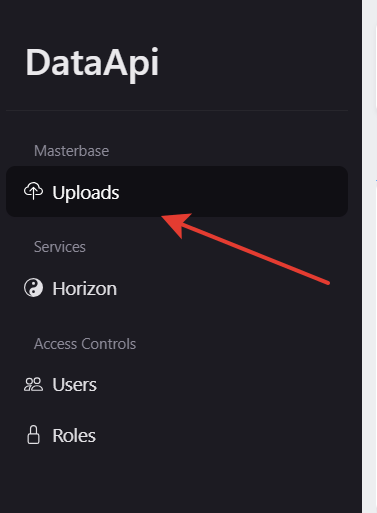
Go to the admin panel and open the uploads page.
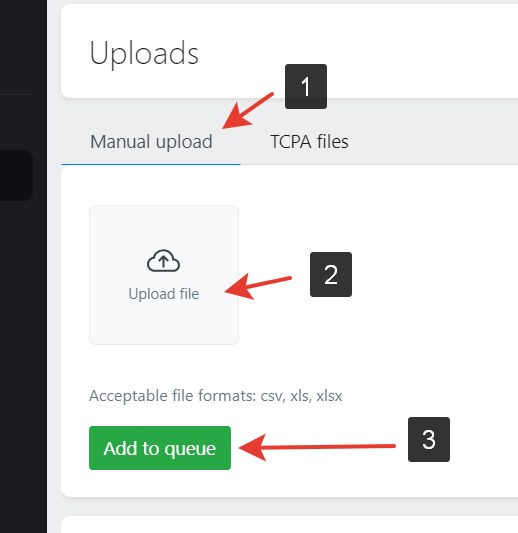
Manual upload
Do next steps:
1. Switch to the "Manual upload" tab;
2. Upload files you want to;
3. Click the "Add to queue" button.
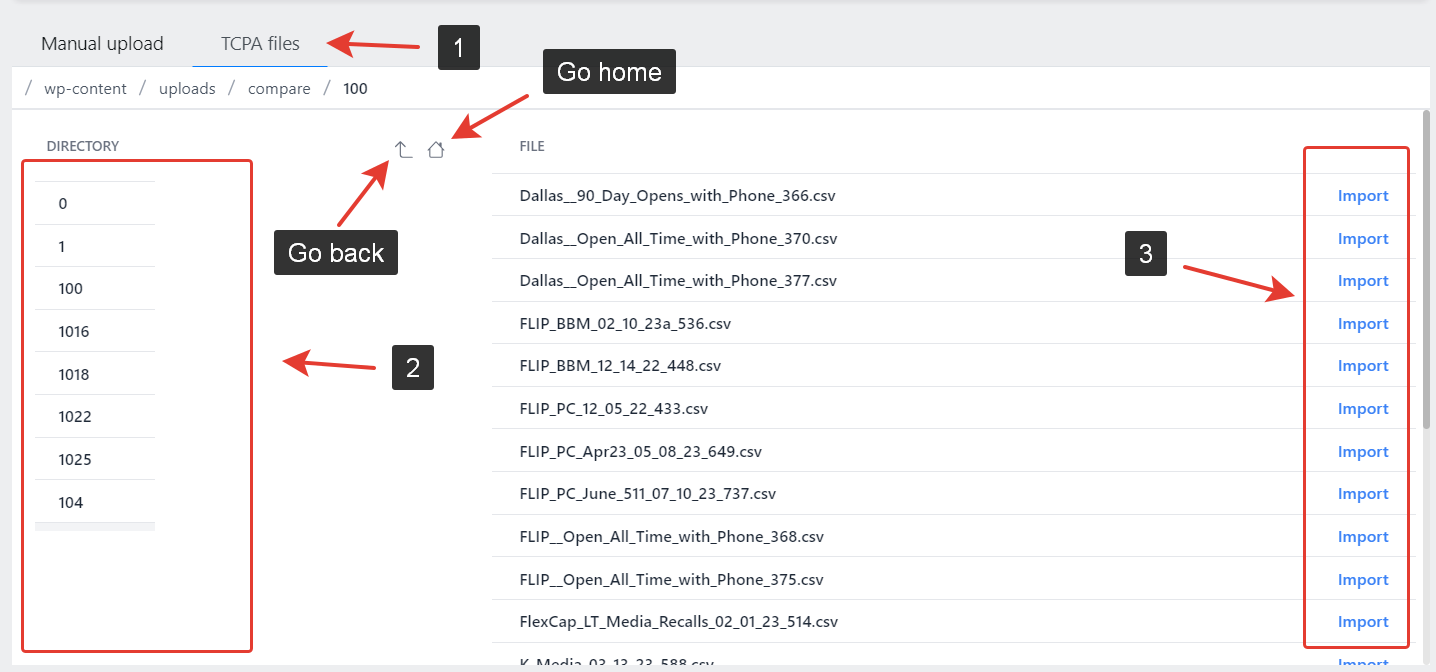
Upload a file from the tcpa server
Do next steps:
1. Switch to the "TCPA files" tab;
2. Click on directories to open them;
3. On the right side you will see files from the selected directory.
4. Click an "Import" button to download file and add it to the queue.
No Comments